ROCKY HILLS LEADERSHIP INSTITUTE

Student Orientation Center

ORIENTATION — ADMITTED STUDENTS ONLY

Get to know your institute, find your classroom and learn how to complete your weekly work. Read the guides below before you begin classes.

Go to Live Classrooms →

Start Orientation

Read each guide at your own pace. Tap an image to enlarge it, or download a copy. Start with these two overviews, then follow steps 1–11.

ORIENTATION GUIDE

Student Orientation Guide

Listen & Read Along

Optional narration using your device’s reading voice. Some voices need internet. No microphone is needed. Resume repeats the current passage.

Ready. Select Listen to begin.

Read Along

Welcome to the Rocky Hills Leadership Institute Student Orientation Guide. Orientation is for admitted students only. Start here to understand your campus, classrooms, assignments, and student support.

First, get to know RHLI. Learn about the institute, its mission, leadership, five schools, programs, and enrollment pathway. Explore the main institute, library, media center, and research resources.

Next, learn to navigate your classroom. Choose the correct classroom for your program: Leadership, Entrepreneurship, Technology, Theology, or Pastoral Studies. Sign in with your authorized student account.

Follow the five-part weekly system: Read and Learn. Watch and Listen. Questions and Answers. Prepare and Present. Submit. Complete the activities in your assigned week, submit formal work through the Digital Classroom, and keep your submission receipt.

Review grades and instructor feedback in the Digital Classroom. Friday seminars take place in your official departmental WhatsApp classroom. Step eleven explains required departmental group membership, continuous learning, and your academic responsibilities. Admissions verifies your WhatsApp number and arranges an authorized invitation.

Read all eleven steps in order, then confirm that you have reviewed each step. Listening is optional. You may pause, resume, replay, change the playback speed, or read the transcript. Completion of this orientation does not grant admission or group membership. If you need assistance, contact RHLI Administration or Admissions.

Student Orientation Guide — RHLI illustrated orientation card
0 of 11 steps completed

Read each step, then confirm you have reviewed it to continue. Progress is saved on this browser when storage is available; it is not an official academic record or an admission decision. Original illustrated cards are preserved; the current sequence contains eleven steps.

STEP 1 OF 11

Welcome to RHLI

Listen & Read Along

Optional narration using your device’s reading voice. Some voices need internet. No microphone is needed. Resume repeats the current passage.

Ready. Select Listen to begin.

Read Along

Step one of eleven. Welcome to Rocky Hills Leadership Institute. Begin by understanding RHLI, its mission, leadership, five schools, and enrollment pathway.

Visit the main institute to explore About RHLI, Leadership and Faculty, Programs and Certificates, Admissions and Registration, Publications and Journal, and Contact the Institute. Use the Explore the Institute link below.

Welcome to RHLI — RHLI illustrated orientation card

Learn about RHLI, its mission, leadership, five schools and enrollment pathway.

Explore the Institute →
STEP 2 OF 11

Visit the RHLI Library

Listen & Read Along

Optional narration using your device’s reading voice. Some voices need internet. No microphone is needed. Resume repeats the current passage.

Ready. Select Listen to begin.

Read Along

Step two of eleven. Visit the RHLI Library. Explore recommended readings, course materials, and study resources to strengthen your independent learning.

Use the Open Library and Reading Resources link below. Follow your instructor’s reading guidance alongside the materials in your Digital Classroom.

Visit the RHLI Library — RHLI illustrated orientation card

Explore recommended readings, course materials and study resources.

Open Library and Reading Resources →
STEP 3 OF 11

Explore the Media Center

Listen & Read Along

Optional narration using your device’s reading voice. Some voices need internet. No microphone is needed. Resume repeats the current passage.

Ready. Select Listen to begin.

Read Along

Step three of eleven. Explore the Media Center. Access learning videos, audio resources, media content, and communication resources that support your classroom experience.

Use the Explore Media link below. Your instructor’s published classroom materials and instructions remain the guide for your assigned weekly work.

Explore the Media Center — RHLI illustrated orientation card

Access learning videos, audio and supplementary learning materials.

Explore Media →
STEP 4 OF 11

Use the Research Center

Listen & Read Along

Optional narration using your device’s reading voice. Some voices need internet. No microphone is needed. Resume repeats the current passage.

Ready. Select Listen to begin.

Read Along

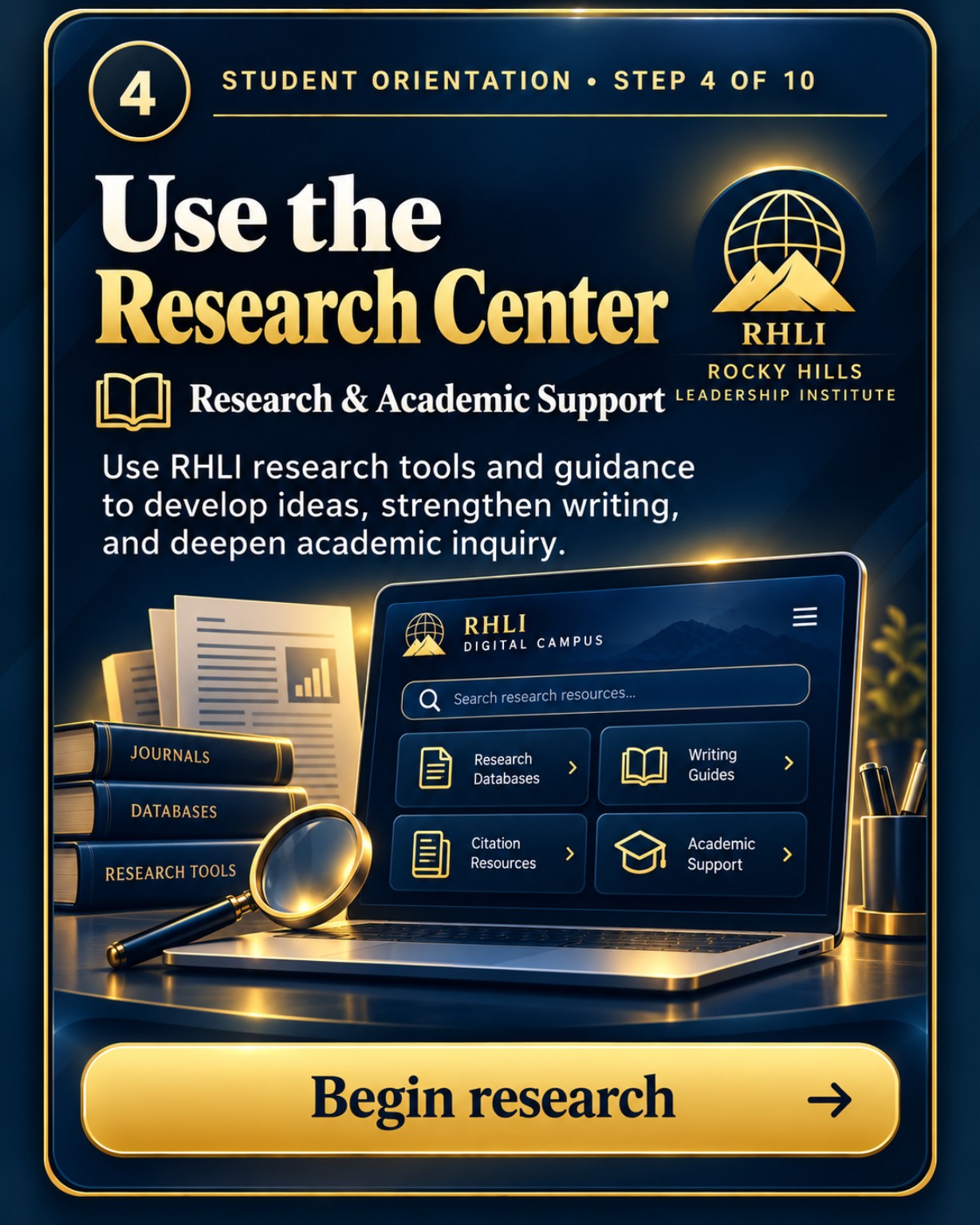
Step four of eleven. Use the Research Center. Use RHLI research tools and guidance to develop ideas, strengthen writing, and deepen academic inquiry.

Explore research databases, writing guides, citation resources, and academic support. Use the Open Research Resources link below.

Use the Research Center — RHLI illustrated orientation card

Use research tools and reading resources to support academic inquiry.

Open Research Resources →
STEP 5 OF 11

Choose Your Live Classroom

Listen & Read Along

Optional narration using your device’s reading voice. Some voices need internet. No microphone is needed. Resume repeats the current passage.

Ready. Select Listen to begin.

Read Along

Step five of eleven. Choose Your Live Classroom. Enter the correct classroom for Leadership, Entrepreneurship, Technology, Theology, or Pastoral Studies.

Use Choose Your Classroom below, select your enrolled program, and sign in with your authorized classroom account when required. The actual Leadership classroom entrance shown in this guide has a Sign In to Continue button. Admissions can assist with your authorized access.

Choose Your Live Classroom — RHLI illustrated orientation card

Select the correct classroom for Leadership, Entrepreneurship, Technology, Theology or Pastoral Studies. Sign in with your authorized classroom account when required.

Actual Advanced Leadership Classroom entrance with Sign In to Continue button
Actual classroom entrance: select Sign In to Continue and use your authorized classroom account. Classroom access is arranged through RHLI's enrollment process.
Choose Your Classroom →
STEP 6 OF 11

Understand the Weekly Learning Flow

Listen & Read Along

Optional narration using your device’s reading voice. Some voices need internet. No microphone is needed. Resume repeats the current passage.

Ready. Select Listen to begin.

Read Along

Step six of eleven. Understand the Weekly Learning Flow. Follow the five parts in order inside your classroom.

Part one: Read and Learn. Read the weekly materials and explore the learning resources.

Part two: Watch and Listen. Watch the published lesson video and listen to the key instruction.

Part three: Questions and Answers. Complete the weekly questions and answers activity. Follow the instructions shown in your classroom.

Part four: Prepare and Present. Prepare your presentation or discussion and participate in the Friday seminar in your official departmental WhatsApp classroom.

Part five: Submit. Submit the required work to the Submission Center and keep the receipt.

Follow the five parts in order inside your classroom.

  1. Read & Learn
    Read the weekly materials and explore the learning resources.
  2. Watch & Listen
    Watch the published lesson video and listen to the key instruction.
  3. Questions & Answers
    Complete the weekly questions and answers activity. Follow the instructions shown in your classroom.
  4. Prepare & Present
    Prepare your presentation or discussion and participate in the Friday seminar.
  5. Submit
    Submit the required work to the Submission Center and keep the receipt.
Open Your Classroom →
STEP 7 OF 11

Submit Assignments

Listen & Read Along

Optional narration using your device’s reading voice. Some voices need internet. No microphone is needed. Resume repeats the current passage.

Ready. Select Listen to begin.

Read Along

Step seven of eleven. Submit Assignments. Send your weekly work to the Submission Center, confirm successful delivery, and keep your RHLI receipt.

Follow the current upload and submission instructions in your own Digital Classroom. Check that the system confirms receipt of your work. The sample receipt in the illustration is an example, not your personal academic record. WhatsApp does not replace formal assignment submission.

Submit Assignments — RHLI illustrated orientation card

Complete your weekly work, submit it through your classroom Submission Center, confirm delivery and keep your receipt.

Open Your Classroom →
STEP 8 OF 11

Join Friday Seminar

Listen & Read Along

Optional narration using your device’s reading voice. Some voices need internet. No microphone is needed. Resume repeats the current passage.

Ready. Select Listen to begin.

Read Along

Step eight of eleven. Join Friday Seminar. Participate in Friday discussions, speak with confidence, share ideas, and learn with your instructor and peers.

Friday seminars take place in your official departmental WhatsApp classroom. Follow the published departmental schedule for presentations, public speaking, academic discussions, and instructor guidance. Admissions arranges authorized group membership using your verified WhatsApp contact information. Step eleven explains your responsibilities.

Join Friday Seminar — RHLI illustrated orientation card

Friday seminars take place in your official departmental WhatsApp classroom. Follow the published departmental schedule for presentations, public speaking, academic discussions and instructor guidance. Admissions arranges authorized group membership; see Step 11.

Open Your Classroom for Seminar Details →
STEP 9 OF 11

Check Grades and Feedback

Listen & Read Along

Optional narration using your device’s reading voice. Some voices need internet. No microphone is needed. Resume repeats the current passage.

Ready. Select Listen to begin.

Read Along

Step nine of eleven. Check Grades and Feedback. Review your scores, instructor feedback, and learning progress after each assignment and classroom activity.

Use your Digital Classroom to review grades, feedback, progress, and course records. Scores and feedback pictured in the illustrated guide are examples. Your actual results and permanent academic records remain in your official classroom system.

Check Grades and Feedback — RHLI illustrated orientation card

After each activity, review your scores, instructor feedback and learning progress inside your classroom.

Open Your Classroom to Review Progress →
STEP 10 OF 11

Stay Connected and Get Help

Listen & Read Along

Optional narration using your device’s reading voice. Some voices need internet. No microphone is needed. Resume repeats the current passage.

Ready. Select Listen to begin.

Read Along

Step ten of eleven. Stay Connected and Get Help. Use orientation tools, admissions support, official campus contacts, and Return to Campus links whenever you need help.

Use the official Administration and Admissions contact buttons for assistance. Return to the Digital Campus to choose your classroom. Next, review Step eleven: Your Departmental WhatsApp Classroom.

Stay Connected and Get Help — RHLI illustrated orientation card

Use the official office contacts for questions and assistance. Return to the Digital Campus to choose another classroom.

Contact Administration →
STEP 11 OF 11

Your Departmental WhatsApp Classroom

Listen & Read Along

Optional narration using your device’s reading voice. Some voices need internet. No microphone is needed. Resume repeats the current passage.

Ready. Select Listen to begin.

Read Along

Step eleven of eleven. Your Departmental WhatsApp Classroom.

Required Academic Participation

At Rocky Hills Leadership Institute, education extends beyond the Digital Classroom.

Every admitted student is required to belong to the official WhatsApp learning group associated with their enrolled academic department.

The Admissions Office shall use each student's verified WhatsApp contact information to arrange membership in the appropriate departmental group as part of the enrollment process.

WhatsApp is an official extension of the RHLI classroom and an essential component of the Institute's educational curriculum.

Academic Activities on WhatsApp

Friday Seminars: Scheduled weekly presentations, public speaking, academic discussions, instructor guidance, and student participation take place on the departmental WhatsApp platform.

Continuous Education: Instructors may share supplementary educational videos, reading materials, instructional recordings, and learning resources throughout the week.

Academic Discussions: Students participate in questions, answers, intellectual exchanges, and discussions that strengthen their understanding of course materials.

Departmental Communication: Instructors communicate important notices, educational expectations, meeting information, and academic guidance.

Learning Community: Students develop professional relationships, collaborative learning habits, and a sense of belonging within RHLI's international virtual academic community.

Student Responsibilities

Every enrolled student is expected to:

Maintain membership in their official departmental WhatsApp classroom.

Check the platform regularly.

Participate in Friday seminars according to the published departmental schedule.

Review supplementary instructional materials.

Respond appropriately to instructor-directed academic activities.

Maintain professional communication and respect fellow students and instructors.

RHLI will consider international time zones and reasonable participation arrangements as its academic systems continue to develop.

Follow the reasonable participation deadlines stated by your instructor. If WhatsApp access is unavailable, contact Admissions or your instructor to arrange an approved alternative.

Relationship to the Digital Classroom

The Digital Classroom remains the official location for weekly course materials, formal assignments, submissions, grading, and permanent academic records.

The departmental WhatsApp classroom provides live seminars, educational discussions, supplementary instruction, and continuous academic engagement.

Both platforms are essential components of the RHLI learning experience.

Admissions verifies your WhatsApp number and arranges an authorized invitation. Completing this guide does not join a group or confirm enrollment. Keep official assignment submissions, grades and submission receipts in the designated Digital Classroom systems.

International adult students joining an instructor-led virtual departmental WhatsApp seminar

Required Academic Participation

At Rocky Hills Leadership Institute, education extends beyond the Digital Classroom.

Every admitted student is required to belong to the official WhatsApp learning group associated with their enrolled academic department.

The Admissions Office shall use each student's verified WhatsApp contact information to arrange membership in the appropriate departmental group as part of the enrollment process.

WhatsApp is an official extension of the RHLI classroom and an essential component of the Institute's educational curriculum.

Academic Activities on WhatsApp

  1. Friday Seminars: Scheduled weekly presentations, public speaking, academic discussions, instructor guidance, and student participation take place on the departmental WhatsApp platform.
  2. Continuous Education: Instructors may share supplementary educational videos, reading materials, instructional recordings, and learning resources throughout the week.
  3. Academic Discussions: Students participate in questions, answers, intellectual exchanges, and discussions that strengthen their understanding of course materials.
  4. Departmental Communication: Instructors communicate important notices, educational expectations, meeting information, and academic guidance.
  5. Learning Community: Students develop professional relationships, collaborative learning habits, and a sense of belonging within RHLI's international virtual academic community.

Student Responsibilities

Every enrolled student is expected to:

  • Maintain membership in their official departmental WhatsApp classroom.
  • Check the platform regularly.
  • Participate in Friday seminars according to the published departmental schedule.
  • Review supplementary instructional materials.
  • Respond appropriately to instructor-directed academic activities.
  • Maintain professional communication and respect fellow students and instructors.

RHLI will consider international time zones and reasonable participation arrangements as its academic systems continue to develop.

Follow the reasonable participation deadlines stated by your instructor. If WhatsApp access is unavailable, contact Admissions or your instructor to arrange an approved alternative.

Relationship to the Digital Classroom

The Digital Classroom remains the official location for weekly course materials, formal assignments, submissions, grading, and permanent academic records.

The departmental WhatsApp classroom provides live seminars, educational discussions, supplementary instruction, and continuous academic engagement.

Both platforms are essential components of the RHLI learning experience.

Admissions verifies your WhatsApp number and arranges an authorized invitation. Completing this guide does not join a group or confirm enrollment. Keep official assignment submissions, grades and submission receipts in the designated Digital Classroom systems.

Contact Admissions about departmental membership →
All existing orientation and resource links

Illustrated guides show the learning journey. Use the live links and instructions in your own classroom for current lessons, seminar details, submission requirements and progress.